
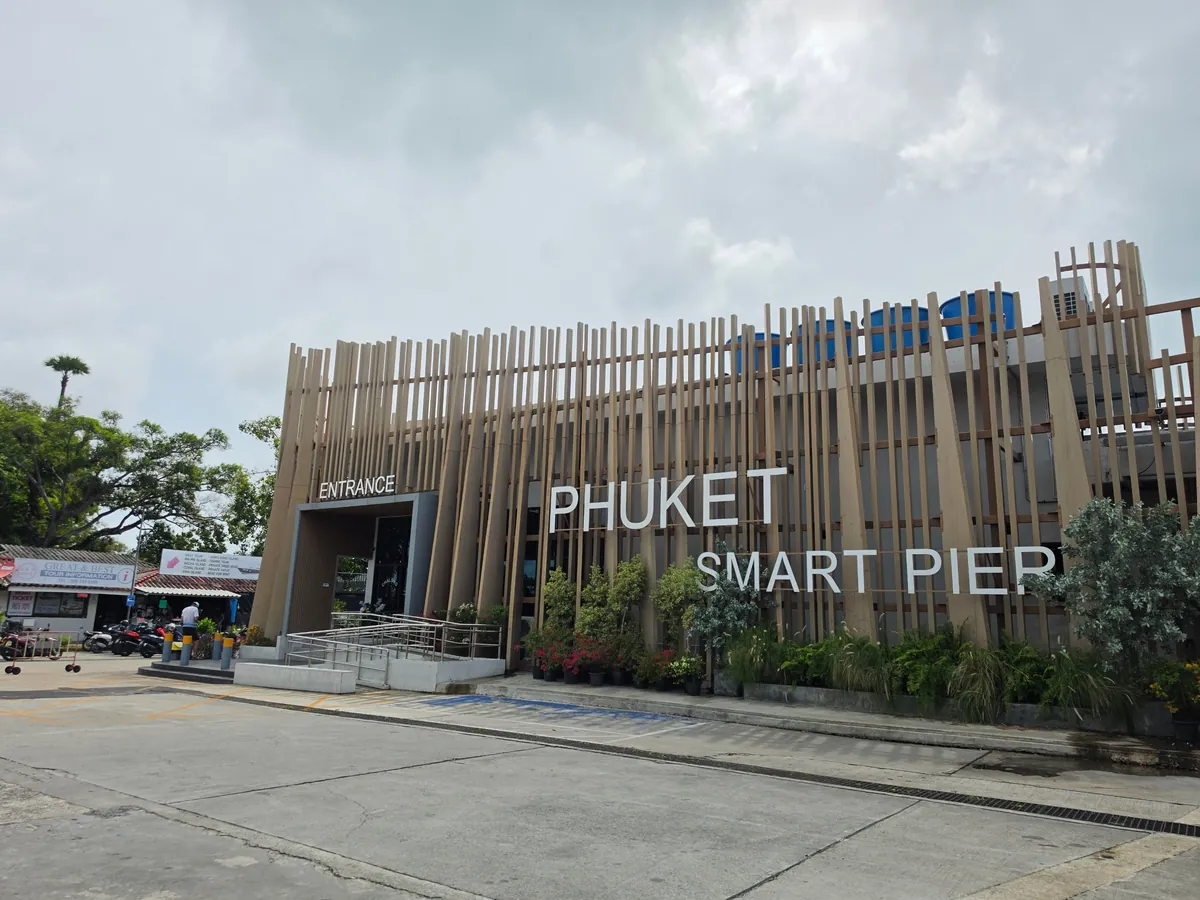
Every passenger on a boat tour leaving from Chalong Pier must register on the official Chalong Pier system before boarding. It takes about 5 minutes per person and can be done on your phone.
Applies to
All tours departing from Chalong Pier booked with TripRAON (e.g. Badaro Yacht · Nikorn Marine · Ombre)
When
Before your hotel pickup — the day before your trip is best
What you need
- Chalong Pier booking number — one number per booking, used by everyone in your group. TripRAON sends it after your booking is confirmed
- Passport of each passenger (Thai nationals: Thai ID card)
- A clear face photo of each passenger
- An email address (your QR code is sent there)
STEP 1. Open the official website
Go to chalongpier-phuketpao.go.th on your phone or computer. You can switch the language (English / Thai) at the top right.
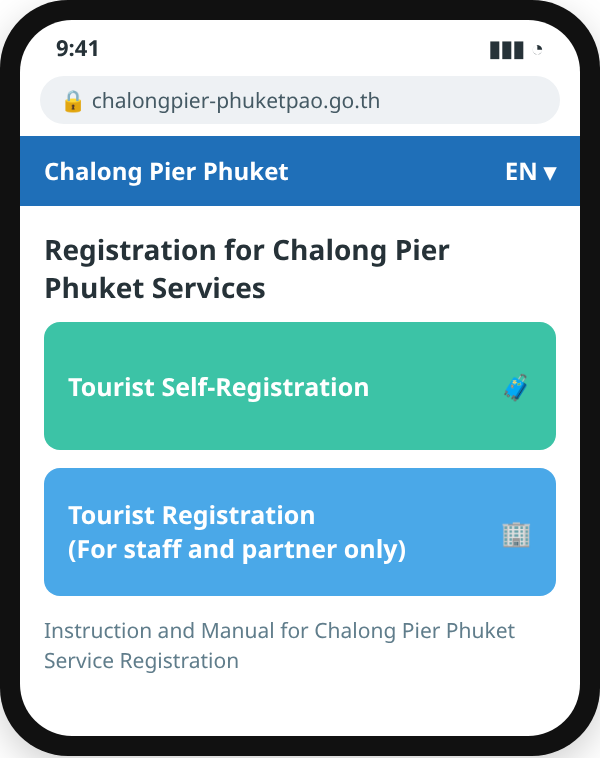
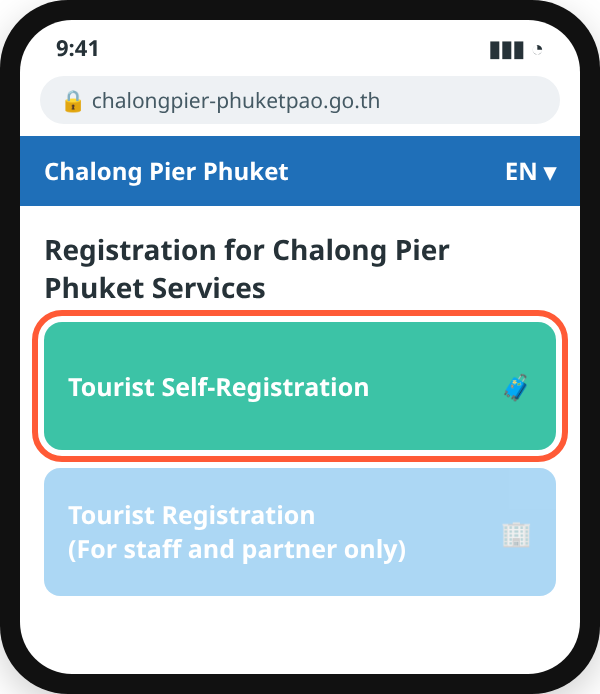
STEP 2. Tap Tourist Self-Registration
Do not use Tourist Registration (For staff and partner only).
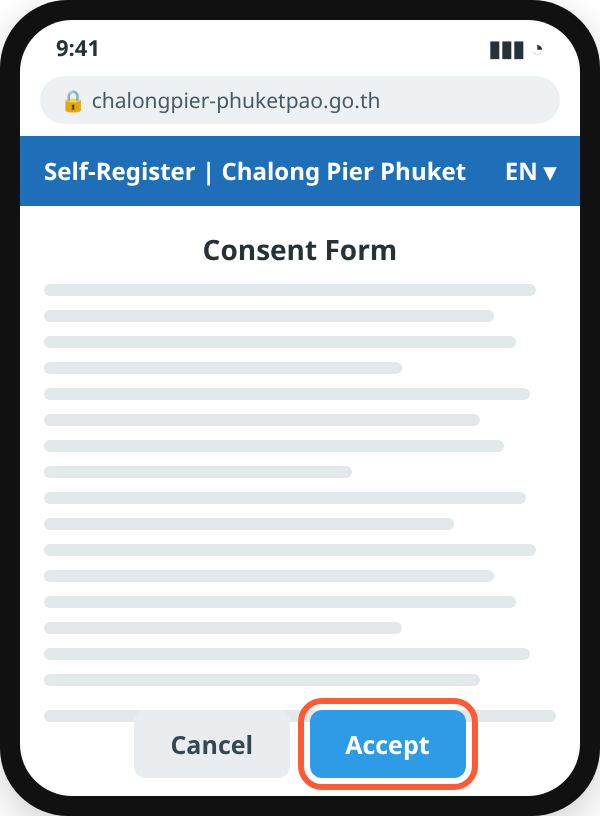
STEP 3. Accept the consent form
Read the Consent Form and tap Accept.
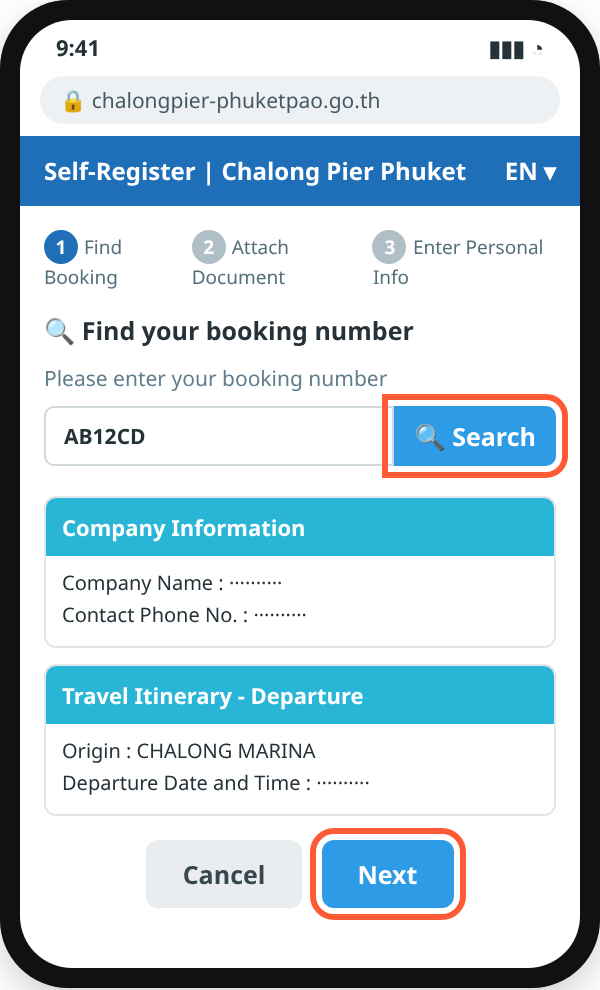
STEP 4. Enter your booking number
Type the booking number from TripRAON and tap Search. Check the company, date and time, then tap Next.
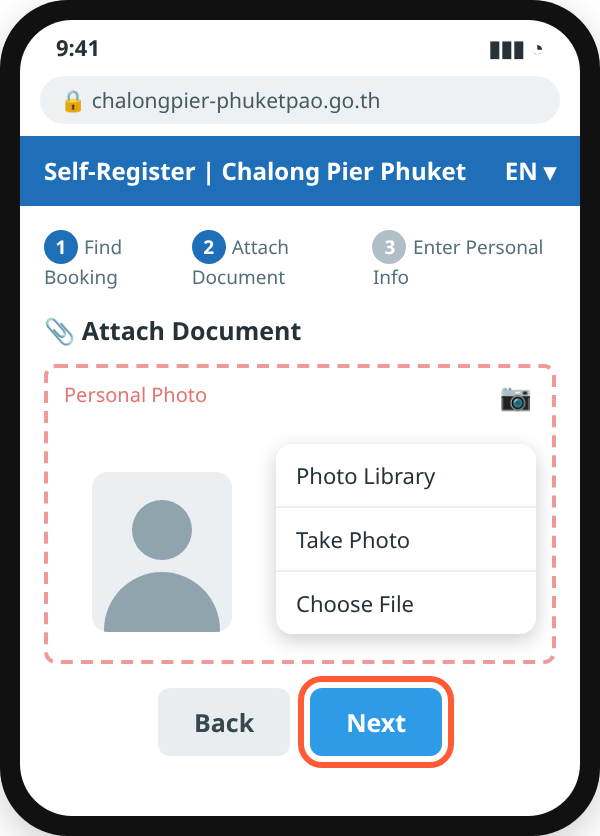
STEP 5. Upload a face photo
Choose Photo Library to pick a photo, or Take Photo to take one now. Then tap Next.
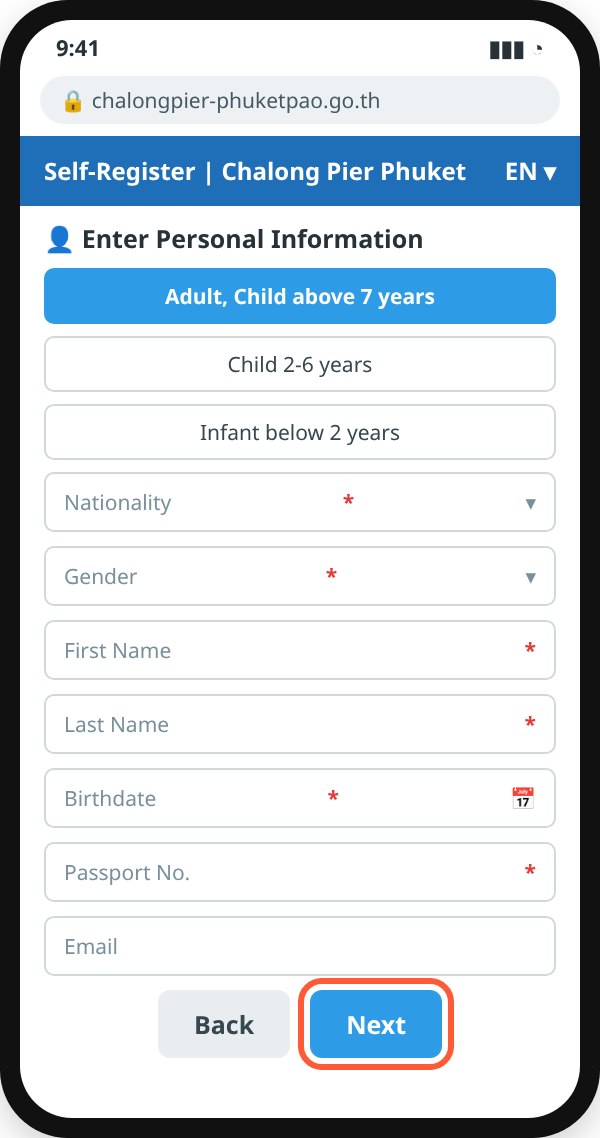
STEP 6. Enter passenger details
Choose the passenger type (Adult, Child above 7 years / Child 2-6 years / Infant below 2 years). Fill in nationality, gender, name, birthdate, passport number and email, then tap Next.
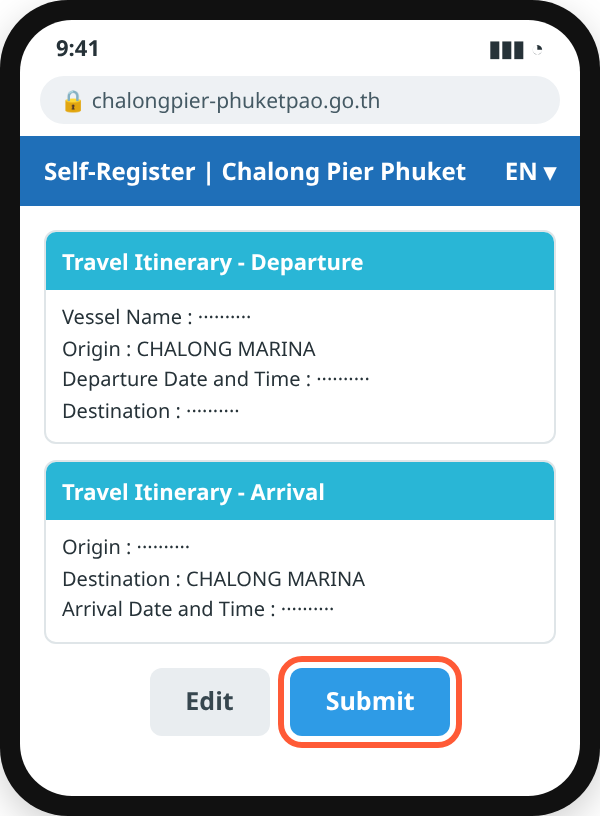
STEP 7. Check and submit
Review your trip information and tap Submit. Tap Edit if something is wrong.
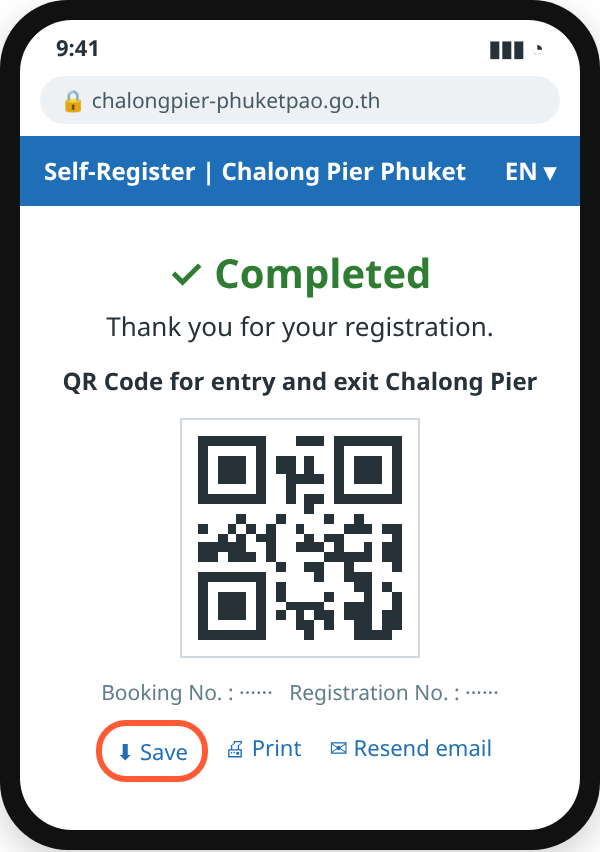
STEP 8. Save your QR code
Registration is complete. Tap Save or take a screenshot of the QR code. It is also sent to your email.
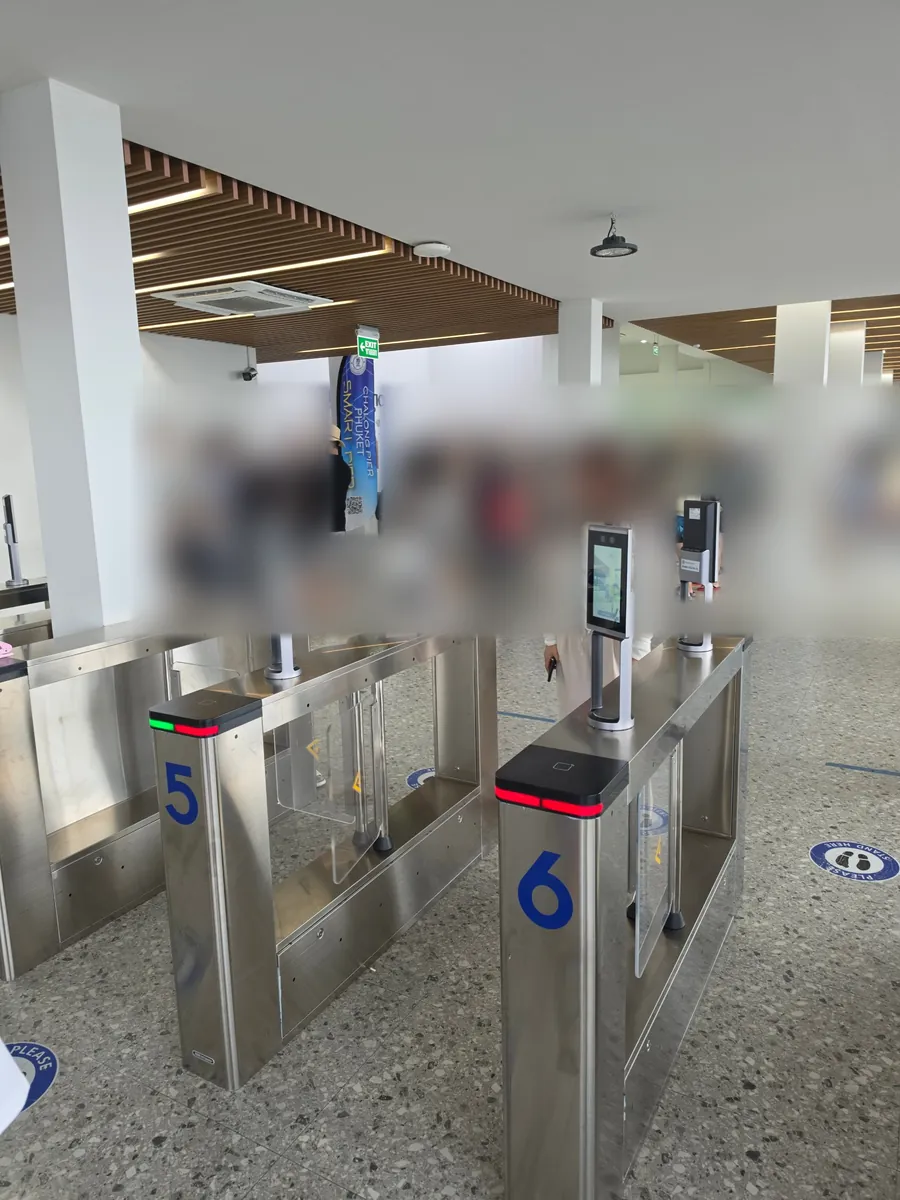
At Chalong Pier
Entry is by face recognition. If your face is not recognised, show your QR code to the pier staff.
Tips
- Register every passenger, including children and infants.
- Take the photo in good light, facing the camera — no sunglasses, hat or mask.
- Type your name in English letters exactly as it appears in your passport.
- No booking number yet, or the booking cannot be found? Message us before your trip.
Other ways to register
The “Chalong Pier Phuket” app (App Store · Google Play · AppGallery) or the kiosk at the pier.
Need help?
WhatsApp +66 88-383-3542 · LINE @456sxihu · KakaoTalk @tripraon
Official system: chalongpier-phuketpao.go.th (Phuket Provincial Administrative Organization). The screens in this guide are simplified and the official site may change. Last checked: October 2026.